Wednesday, October 12, 2005

Victa Pace 160 Premier mower

"Inherited" an old Victa from my chiropractor, used it for about a year. Great mower because it always started with half a pull :), but no catcher with it though.

Model details (printed on mower):

  • Pace - 160 Premier (Mark 2 - 70 series)
  • Fit only Victa blade No. 9-263
  • NGK - BP6E s
  • Engine No: 77 720 3 594
  • No model number on air filter casing :(

Based on some messages at OutdoorKing Bulletin board, its got a metal carby (G3) with the black governor sticking out the top. Very thick chassis compared to other 70 series I have seen. Has adjustable angle handles, using a plastic gear mating system.

Victa helpline reckons it is 1968-74, but they also recommended a CJ8 spark plug, when it's definitely a long plug. :-(
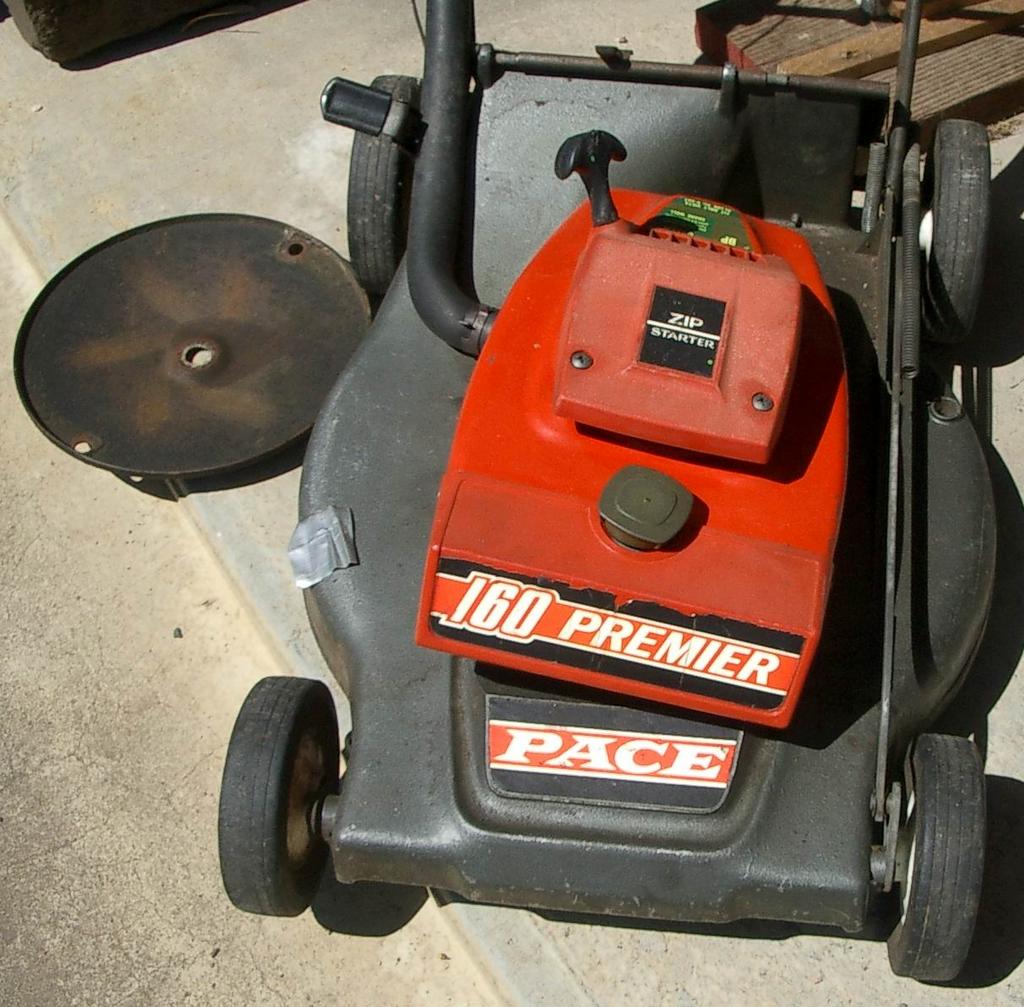

Fig 1.

Fig 2. Notice white plastic on bar between handle, might be used to secure a catcher
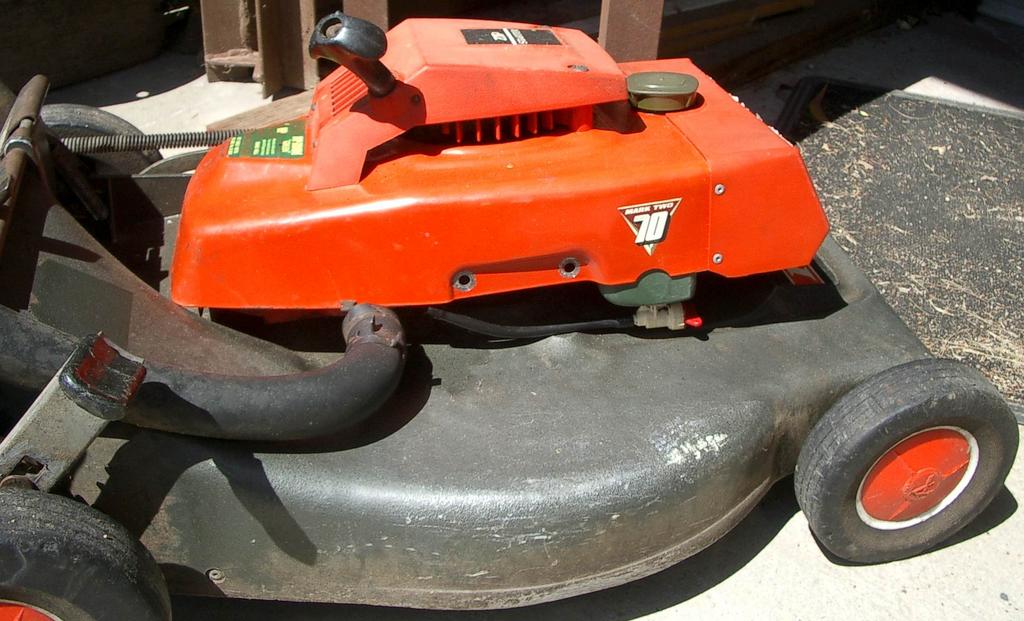
Fig 3.

Friday, September 30, 2005

canconfirm on Bugzilla

Gerv gave me "canconfirm" rights on Bugzilla yesterday.

Thursday, September 22, 2005

Make WinXP open folders/directories in explorer and not the folder view

I always hated how a default install of Windows XP made double clicking on folders on the desktop open in its own window, without the folder pane on the left.

Making each folder open in the same window is easy:
Explorer → Tools menu → Folder Options → Browse folders → "Open each folder in the same window" option

But the fact the opening a folder from desktop opened in plain folder view annoyed me, enough to create 2 shortcuts to each folder I was working on, one that was a normal folder shortcut (for navigating while in explorer) and the second one was to manually open explorer and to go directly to the wanted folder!!!!

Found the **obvious** solution the other day.

To make WinXP open each folder in Explorer (with the normal folder pane and any toolbar modifications), do this:
Explorer → Tools menu → Folder Options → "File Types" tab → Select "Folder" file type (not "File Folder") → Advanced button → click on "explore" action → click "Set Default"

Why didn't I think of it earlier :-(

Saturday, August 27, 2005

Respect physics above the law

AKA: Physics always wins.

This is a great quote for all bike riders and other vehicles on our roads:

Respect physics above the law - being 'in the right' is a philosophical debate that can kill you. Anticipate the worst from other road users and ride accordingly. Even with the law cyclists are vulnerable - it pays to keep alert and don't take risks.

by Ben Creagh, Cycle Epic Media Manager.
Located in the "commuting & the epic" article in the Cycle Epic 2005 booklet/application.

Thursday, June 02, 2005

Links: File Utilities and Resources

FILExt - The File Extension Source:
Great site to help find out what an unknown file is, based on it's extension. Provides detailed information like MIME types, applications that create it, links to resources etc.

WinMerge:
Freeware (and Open source) program to visually report on the differences between folder contents and for comparing individual files.
Doesn't do side-by-side folder compares, and limited to mainly text based file compares (it has some plugins for other formats). Better commercial programs include Beyond Compare and Araxis Merge (which has TRIPLE file and folder comparisons!!!!).

Unison File Synchronizer:
Interesting program to synchronise two seperate collections of files. More advanced than a directory compare program (like WinMerge), it tracks what additions/changes/deletions have occured in both locations and sends the changes to sync back up. Works a bit like rsync, but more orientated for the user and not an Administrator.

Wednesday, April 20, 2005

Securing WinXP by restricting Users access

Aaron Margosis' WebLog :
A series of articles on how to properly setup Windows XP (and other NT derived OS's) so users don't have admin privileges and can still function well. This is to massively reduce the security attack vector on computers. Will follow advice next time I reinstall WinXP.

LINK: Don't forget the Windows XP Security Checklist, provides a great checklist on Basic, Intermediate & Advanced measures you can take to secure you WinXP.

Friday, April 08, 2005

Stop bloody WinXP modifying folder (directory) dates

Optimise NTFS or Increase XP NTFS performance
I hate how XP changes the datestamp of folders with changing anything. Hopefully this fixes it and stops things like opening a Word document and suddenly the folder date changes.

BTW, TweakXP.com - Performance Tweaks & Tips has some good tips (& is a great starting place) on performance tweaks.

UPDATE: Turns out it's a "feature" of NTFS to alter the folder (and all parent folders) when files are changed (or added?). Seems there is no way to turn this off. FAT16 and FAT32 don't do this, so it might be better to make a FAT32 patition to put all user files on.

Optimising services in Windows XP

Windows XP Home and Professional Service Pack 2 Service Configurations by Black Viper and Windows XP Home and Professional Service Pack 2 Services Information
Seem to be a great example configs and references respectively.

Thursday, February 17, 2005

Remove image and/or media preview in Explorer

TweakXP.com - Remove image and/or media preview in Explorer:

XP's Explorer annoys the crap out of me, because it seems to pause when dealing with image and/or video files. Apparently this works:

Simply do the following steps:
  1. Open a command window (Start->Run, type in 'cmd' hit enter)
  2. To remove image preview, type and hit enter:
    regsvr32 /u shimgvw.dll
  3. To readd image preview, type and hit enter:
    regsvr32 shimgvw.dll
  4. To remove media preview, type and hit enter:
    regsvr32 /u shmedia.dll
  5. To readd media preview, type and hit enter:
    regsvr32 shmedia.dll

Friday, February 11, 2005

How to maintain your computer (for normal people)

5 simple steps to keep you PC running smooth and fast
(Based on the How to Speed up your computer site)

  1. Spyware and Adware removal (Monthly or so)
    Basically, install Ad-aware and make sure its spyware definitions are up-to-date by clicking the globe icon on the top right and following the prompts.
    • Keep Spyware definitions up-to-date by clicking the globe icon on the top right and follow the prompts to update.
    • Do a full system scan.
    • AFAIK, it's safe to delete everything that appears in the scan results.
  2. Virus Removal (Monthly or so)
    I'd recommend the free AntiVir Personal Edition.
    + run it in the background ("background checking in installation options??)
    • To download, click on the Download button on the left, then click the "AntiVir logo" on the page to start the download.
    • To grab the latest Virus definitions file, click "antivir.vdf" link on the download page
      • Follow the instructions to download from within the program (clicking the "2 connected computers" icon.
      • or manually download the definitions file and overwrite the current file.
  3. Speed up your computer Part 3 - Clear Startup Group
  4. Speed up your computer Part 4 - Run Defrag
  5. Speed up your computer Part 5 - Run Scandisk
  6. Speed up your computer Part 6 - Free Software
  7. Speed up your computer Part 7 - Update Windows and Drivers